
Ecobank APIs
API User and API Key Management
Authentication
Our APIs uses bearer token authentication to secure API interactions. A valid token must be generated and included in the Authorization header for every single API request.
Steps to Obtain an Access Token
Sign-in into your sandbox account, following the steps indicated at the Login to Account section to help populate all keys for sandbox testing.
Click on the “Sandbox” menu option on the navigation menu.
Select the “Authentication Service” option from the list of API services
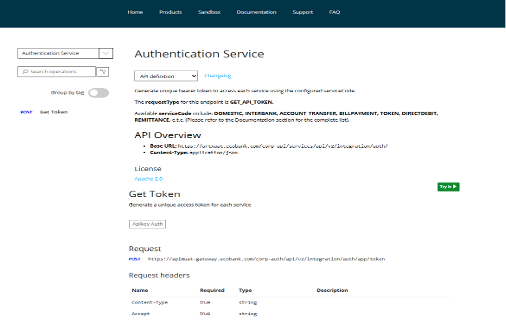
4. Click on the green “Try it” button to open a drawer navigation of the token service
5. On the drawer navigation, a “Subscription Key” value is selected from the list of product that have been subscribed to from the sandbox setup. You can click on the dropdown arrow change the product of the service key.
6. All other parameters in the header are auto-populated, thus content-type, Accept, cache control and Ocp-Apim- Subscription-Key (This key can be changed by selecting a different option under subscription key dropdown of the Authorization)
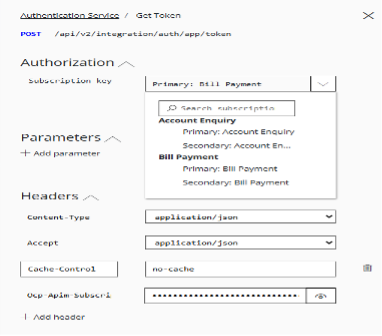
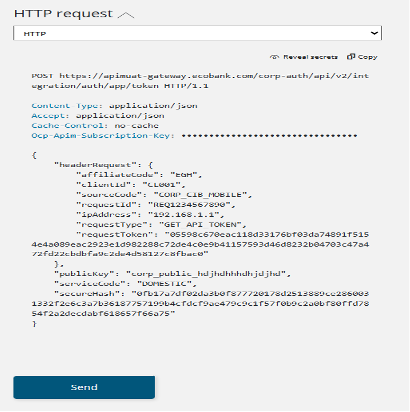
7. Once the preferred option has been selected, you click on the “send” button to generate the access token
8. Response from the request should look like this example below
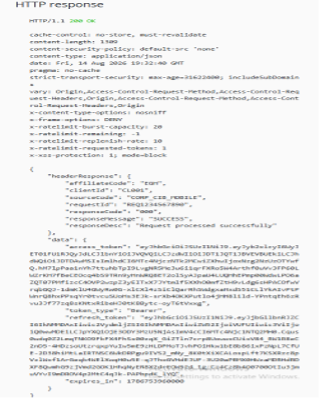
NOTE: This token can only be used for the service for which it was selected under the Subscription Key section. E.g. A token generated for Bill Payment Service cannot be used to authenticate an Account Enquiry service.
You can also export the header parameters, credentials and the payload to be tested in any API client application, like postman, Apidog client, Insomnia, Bruno API Client etc.
The serviceCode parameter in the payload must specify the name of the service being integrated. Detailed descriptions of the available service codes can be found in the API Service Code section. Additionally, each endpoint includes the respective service code required for its operation.

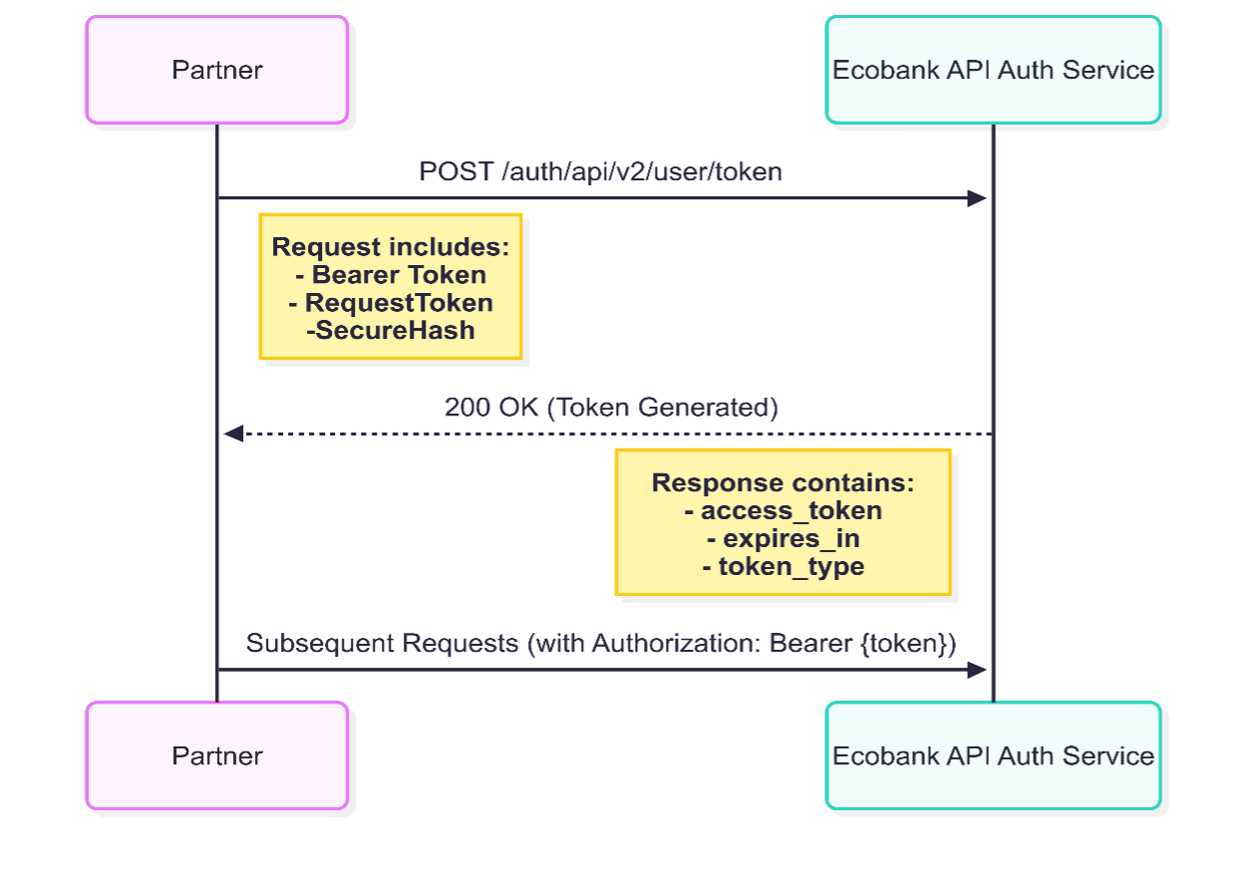
Once you obtain the token, include it in the Authorization header of each subsequent request as Authorization: Bearer Token
The bearer token typically expires after five (5) minutes after generation. The refresh token can be used as an extension of the access token for authentication, this has a life span of maximum duration of ten (10). Ensure you implement logic to generate a new token for each request by repeating the authentication process.